🏘️ RUNNING FOR MCA IN 2027? EVERY POLLING CENTRE, EVERY CAPTAIN, ONE SCREEN
An MCA seat can turn on a few hundred votes at a few polling centres. Here is how UshindiOS shows every centre, its captain and its readiness.
By UshindiOS · · 4 min read
Platform Guides | 24 October 2026 | UshindiOS
An MCA race is won at the polling centre. Butsotso East ward in Lurambi had 11,165 registered voters in 2022, at 18 polling centres and 24 polling stations. The winner took 3,535 votes and won by 2,243. 4,456 registered voters did not vote, almost twice the margin.
Seven of the 18 polling centres cast half of all the votes. At this size you can know every centre by name, and you should know, every morning, which ones have a captain, which are ready and which your team has not visited. This guide shows how UshindiOS does that.
Start your MCA campaign today: free to set up, a 14-day free trial, and nothing is charged until you decide to licence it. Start my campaign
1. The seat in numbers: Butsotso East
2022 record | Butsotso East |
|---|---|
Registered voters (2022) | 11,165 |
Votes cast | 6,709 (60.1% turnout) |
Registered voters who did not vote | 4,456 |
2022 winning margin | 2,243 votes |
Polling centres / stations | 18 / 24 |
Votes to win in 2027 if turnout and the winning share repeat | about 3,532 |
Source: IEBC 2022 results as held by UshindiOS. These describe 2022; they are not a forecast. Figures for your own seat are on its page under Elections.
2. What an MCA campaign has to run
UshindiOS builds a campaign plan from the seat's real numbers: one coordinator per area, a captain for every polling centre, agents for every polling stream, the vehicles and the tally centres. For Butsotso East the plan comes to:
In the plan | For Butsotso East |
|---|---|
Polling agents (main, relief and tally) | 38 |
Mobilisers | 23 |
Polling centre captains | 18 |
Supervisors and ward coordinator | 3 |
Field team in total | 82 people |
Planning budget (lean plan) | KES 1.8M (KES 1.1M) |
Your Campaign Manager confirms the plan in a few steps and UshindiOS applies it: the team positions are created area by area, a budget is drafted from it for you to approve, and an activity calendar is laid out. You do not start from a blank page.
3. Your morning, in thirty seconds
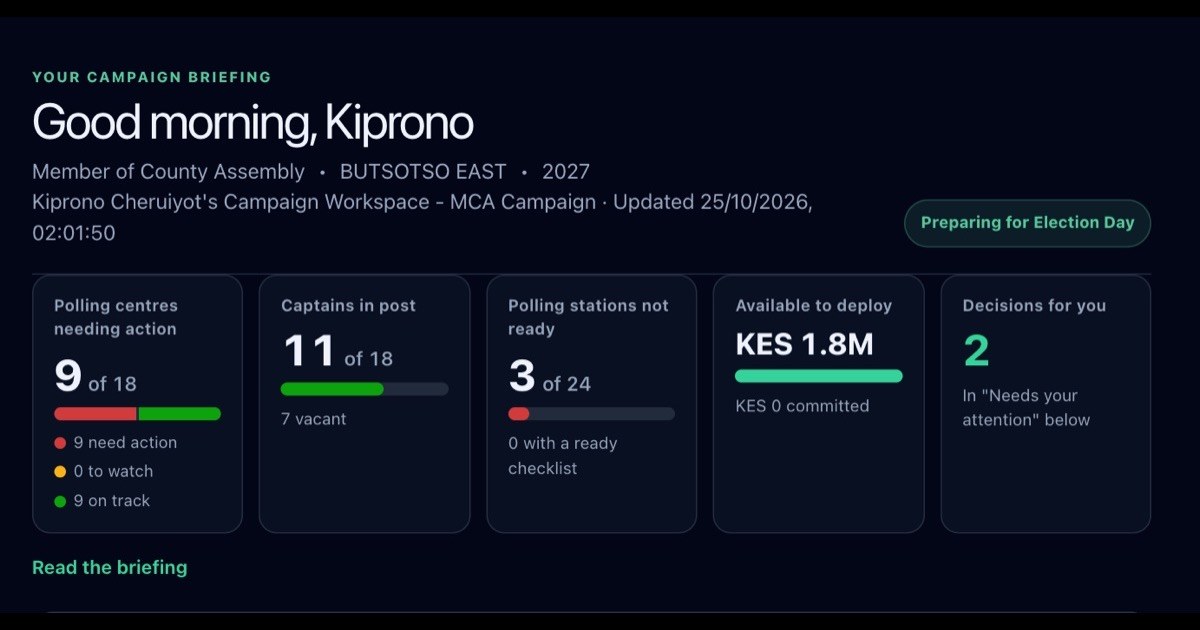
Every morning the candidate opens one page: My Campaign. It answers four questions in order: where do I stand, can I win, what changed, and what should I do next?
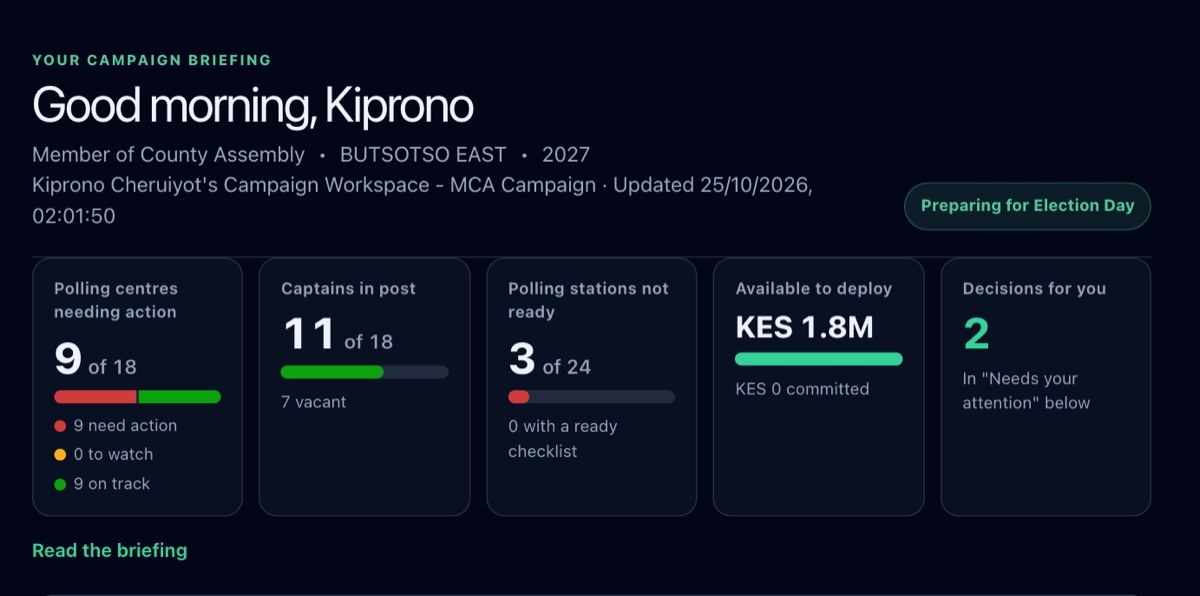
Read the briefing opens the same picture in plain sentences: how many polling centres need action and which ones, what the field team did this week, and what is waiting for you.
4. Decisions only you can make
A candidate should not be chasing paperwork, and should not be surprised by it either. When your team asks to spend money or to send resources, the request comes to Needs your attention with the amount, who raised it, the area and how long it has waited. You approve or reject it there. Missions that have run past their end date and polling stations marked not ready appear in the same place.
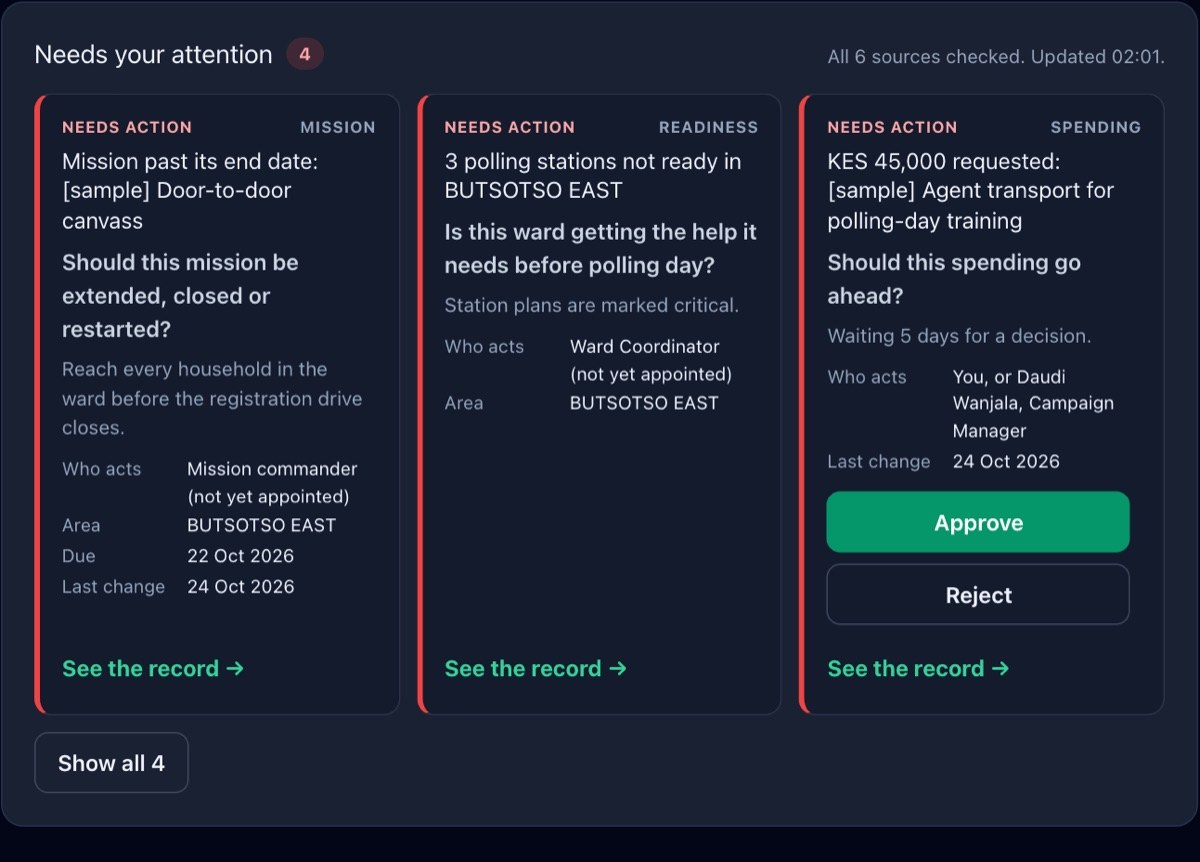
The campaign budget works the same way: your Campaign Manager prepares it, and only you approve it or send it back with what should change. Messages written in your voice are approved by you before they go out.
5. Every polling centre at a glance
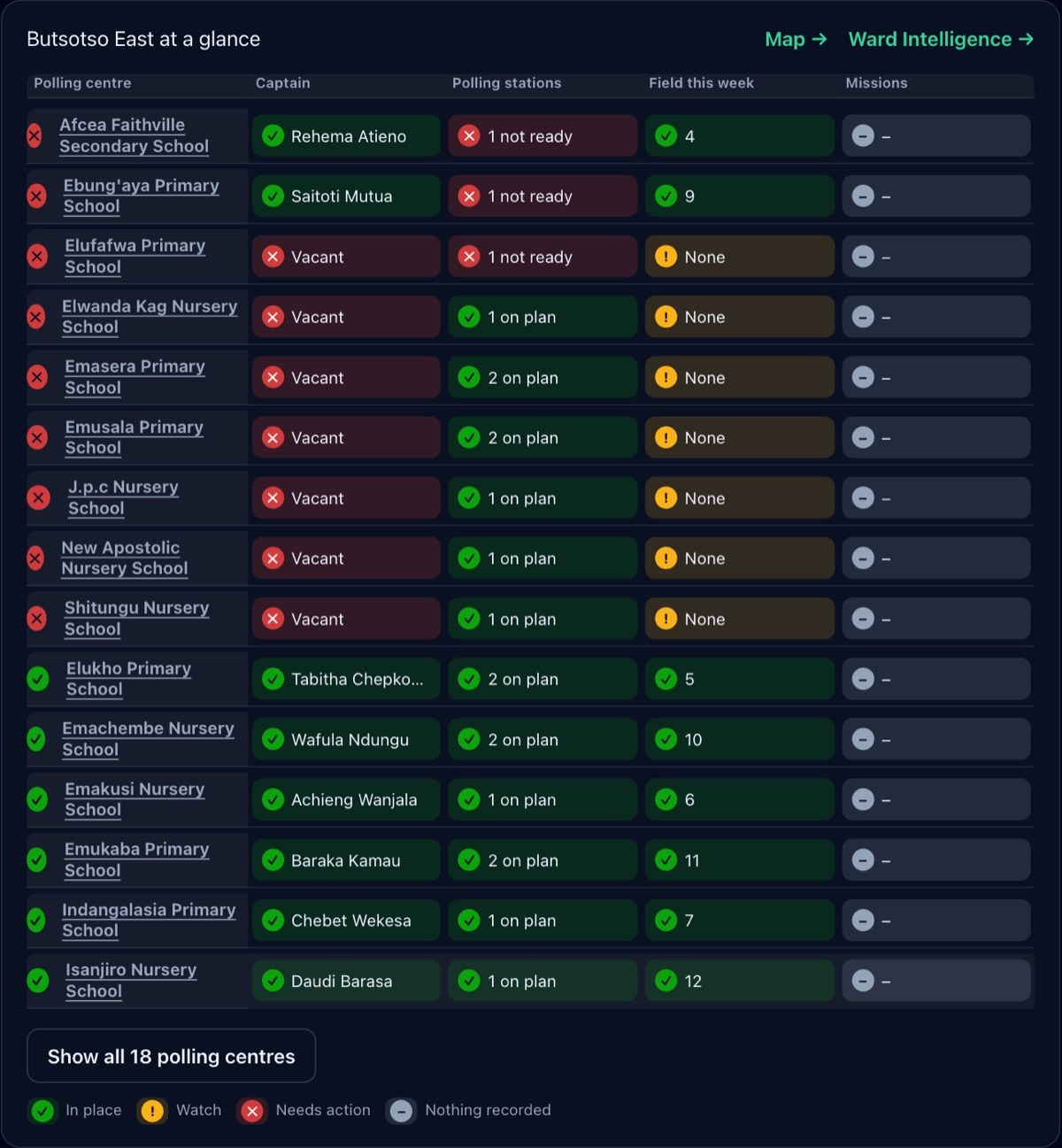
One row per polling centre, one colour per state. Red needs action, with the reason (no polling centre captain, stations not ready, a mission overdue); amber needs watching; green is in place. You see in seconds where the campaign is organised and where it is not, without calling anyone.
6. Every centre, every captain
An MCA's brief goes down to the polling centre:
Captains in post: who holds each of the 18 centres, and which are vacant.
Polling stations not ready: each station's plan and readiness, so nothing is discovered on polling day.
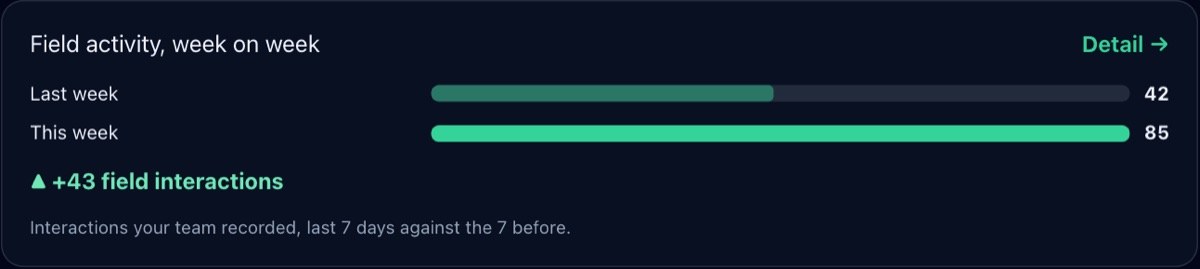
Field work this week: centres your team visited, and those nobody has.
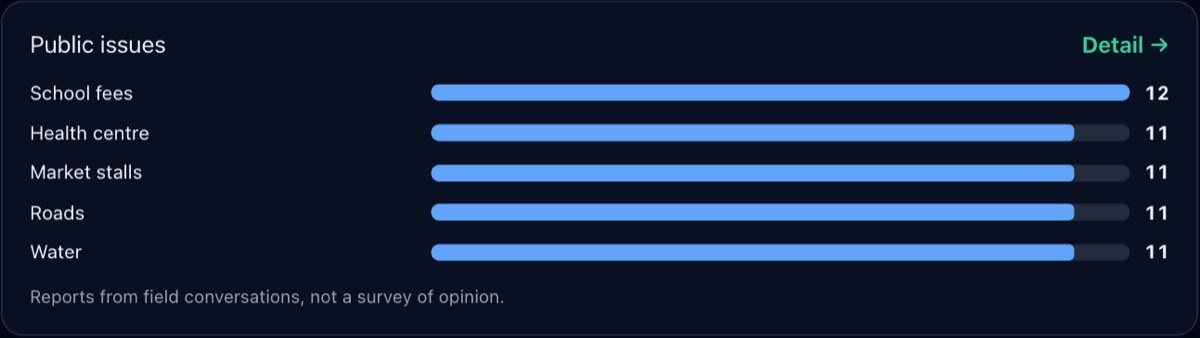
Public issues: what voters raised at the door, from school fees to the health centre.
Tap a centre to open it, then a station, its agent and its checklist. Ward Intelligence shows the whole ward on one page: where you stand, what to do next, the stations and the team.
7. Start your campaign
Free to set up. Create your campaign workspace, choose your seat and invite your Campaign Manager.
A 14-day free trial. Start it when you are ready. Nothing is charged until you decide to licence the platform.
One licence for the seat. Paid once for the seat you are contesting, for the whole campaign. See Pricing.
Your data stays yours. Each campaign works in its own workspace; nobody else's team sees it.
Not sure yet whether the seat is winnable? Start with the Can I Win? Report and Where Your Votes Are for your seat under Elections.
The screens in this guide come from the UshindiOS demo campaign, filled with synthetic sample data: the names, teams, requests and activity are not real. The seat figures are the IEBC 2022 results as held by UshindiOS.